Meeting Transcript
Every word.
Only on your Mac.
Meeting Transcript writes down every word of your Zoom, Teams and Google Meet calls, with the time and who said it.
Right on your Mac. Nothing recorded. Nothing uploaded.
Works with
 Zoom
 Microsoft Teams
 Google Meet
22 languages
You can listen.
Or you can take notes.
Doing both means missing something. Meeting Transcript keeps the record, word for word, so you can give the conversation your full attention.
Join the call.
That's it.
Give your consent once during setup. After that, Meeting Transcript notices when a call begins and starts on its own. No bot joins. Nothing to press.
Join.
Open Zoom or Teams, or join from your browser. Transcription starts within seconds.
Talk.
Every line is written down with the time and a speaker label while the meeting goes on.
Hang up.
The microphone turns off. Your transcript is already saved in Documents.
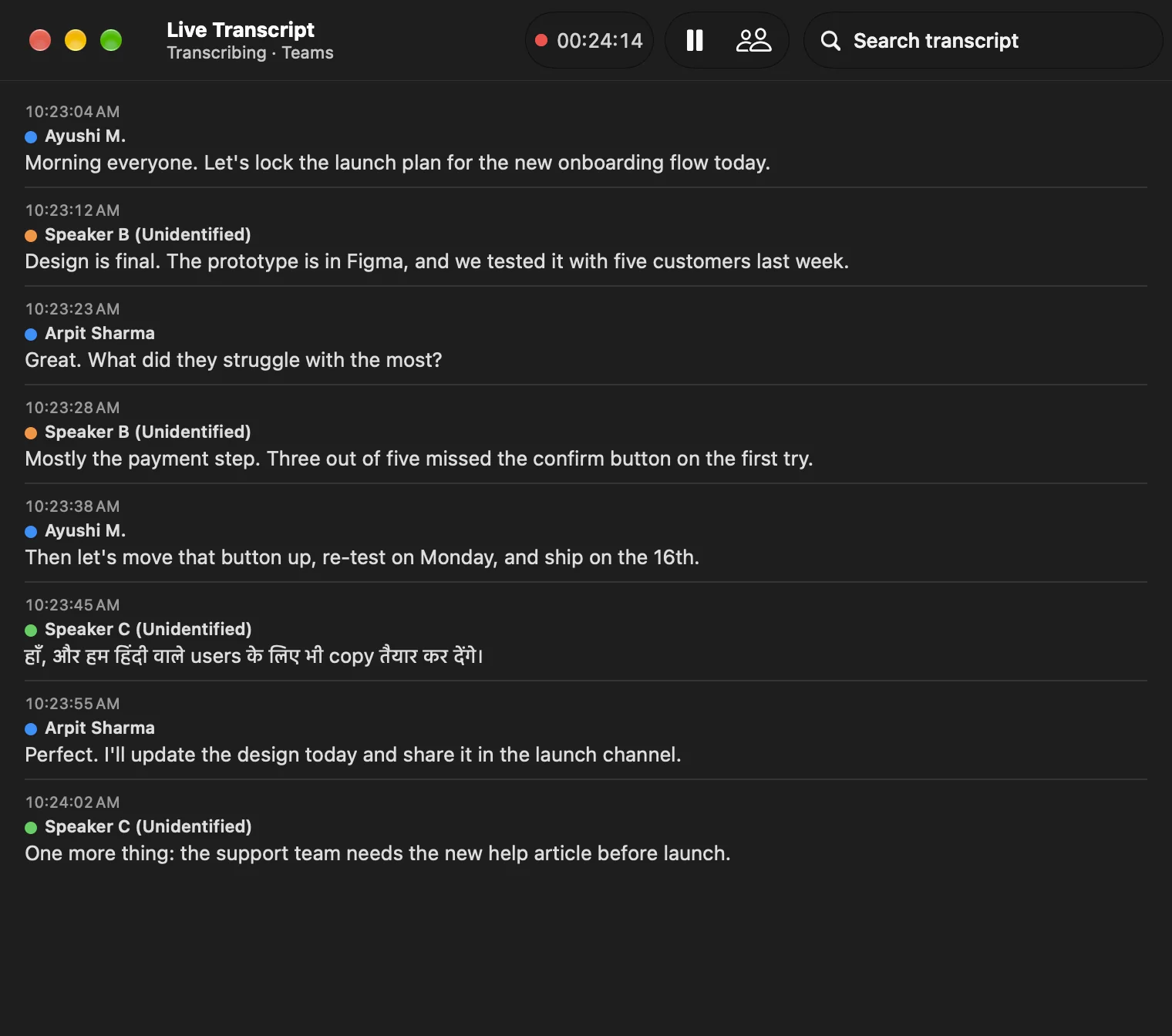
Live transcript
Follow along, live.
The transcript fills in while the meeting is still going, with the time and a speaker for every line. Hindi stays in Devanagari. Nothing is translated, summarised or rewritten.
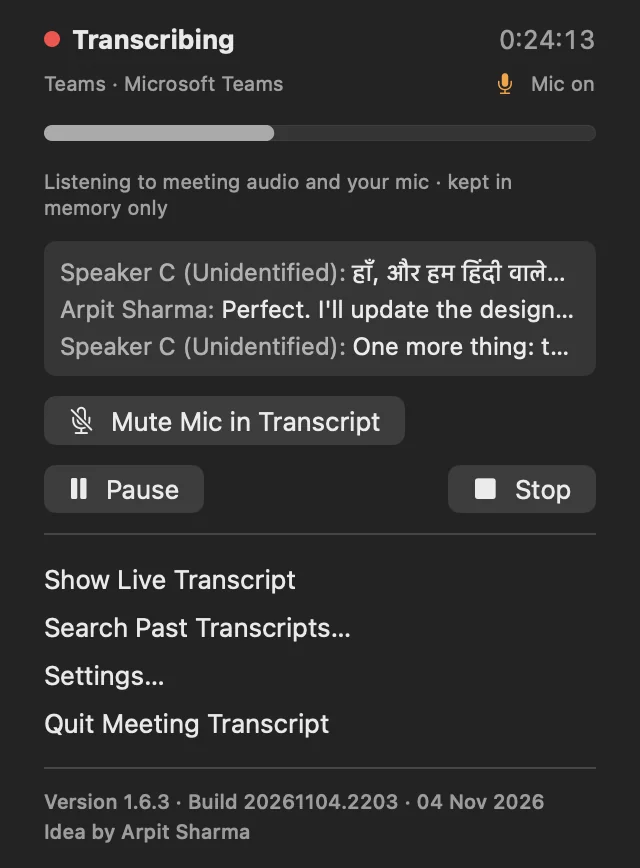
Menu bar
Always in reach.
Pause, stop or open the live view from the menu bar. Mute in the call, and your mic stops too.
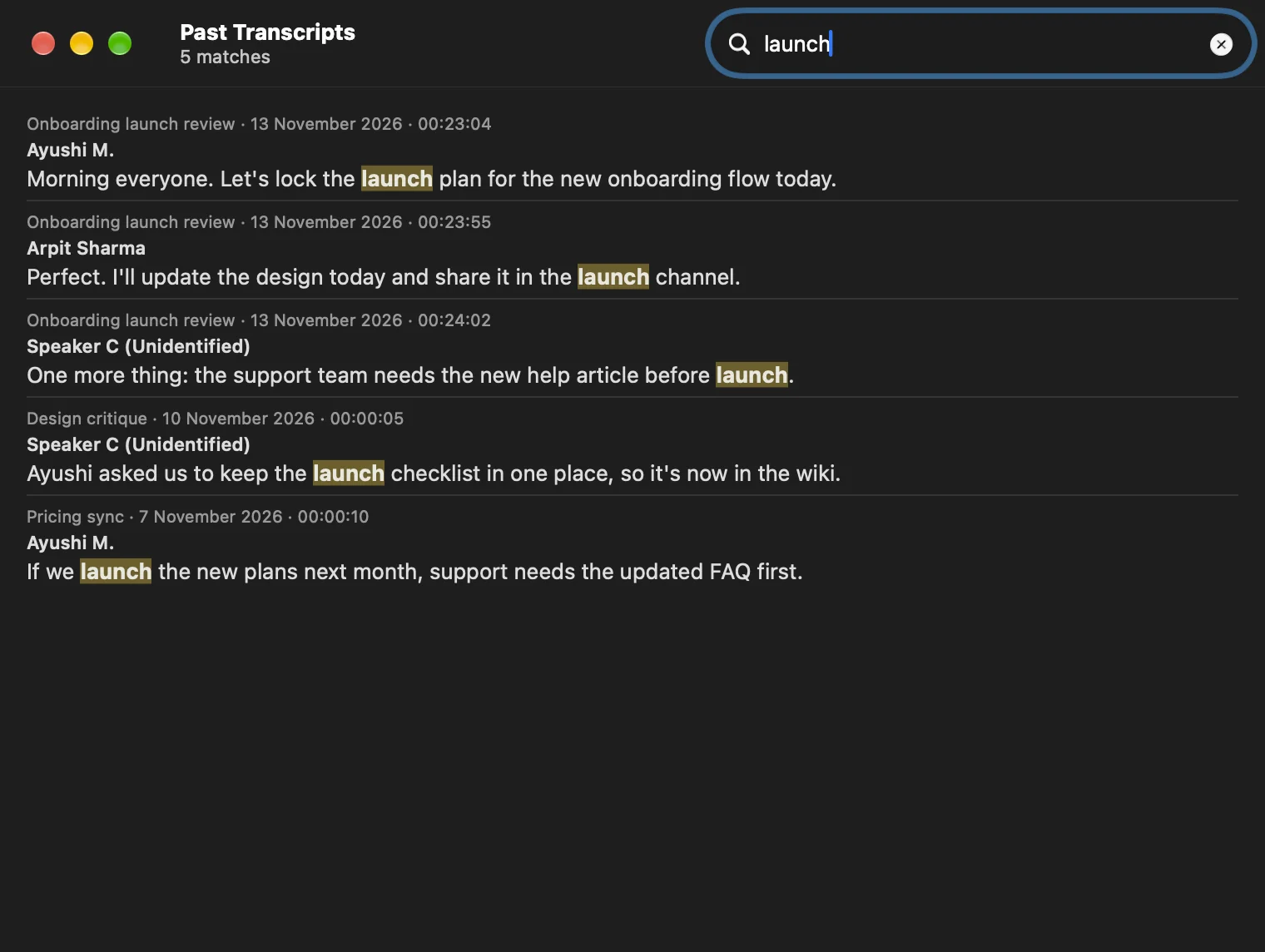
Search
Find the moment.
Search the meeting in progress, or every transcript you've saved. Type a name and a word to jump straight there.
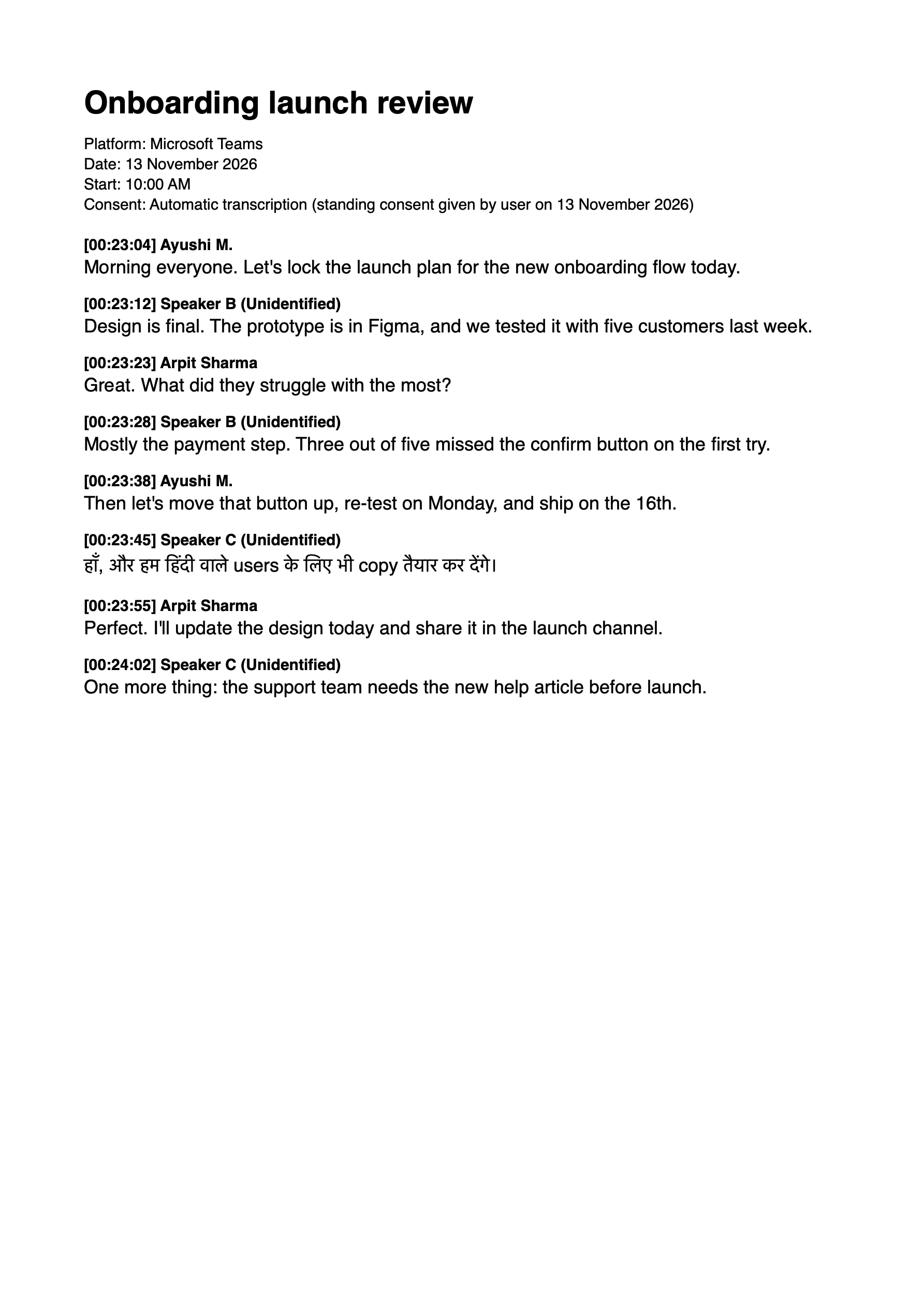
Export
Word. PDF. Markdown.
Each transcript is a plain text file you own. Export a clean copy when you're ready to share it.
0
seconds of audio saved.
Sound is let go the moment it becomes text.
No cap
on speakers per call.
36 people or more. Each voice gets its own anonymous label.
2
languages in one call.
English and Hindi, mixed as people really talk.
Speaks your language.
Writes it as it was said.
Choose from 22 languages, or let Meeting Transcript detect the language on its own. English and Hindi work together in the same call. Every word stays in the language it was spoken. Nothing is translated.
Most accurate in English and Hindi, the languages it was tuned and tested for.
What's said in the meeting
stays on your Mac.
Privacy isn't a setting you turn on. It's how Meeting Transcript is built.
Runs on your Mac.
Speech recognition and speaker labels happen on device. No account. No cloud.
Audio never saved.
Sound lives in memory just long enough to become text.
Nothing uploaded.
The network is used only to download the speech model you pick.
No bot in the call.
Nothing joins your meeting or speaks for you.
Yours alone.
Transcripts are saved where only your user account can read them.
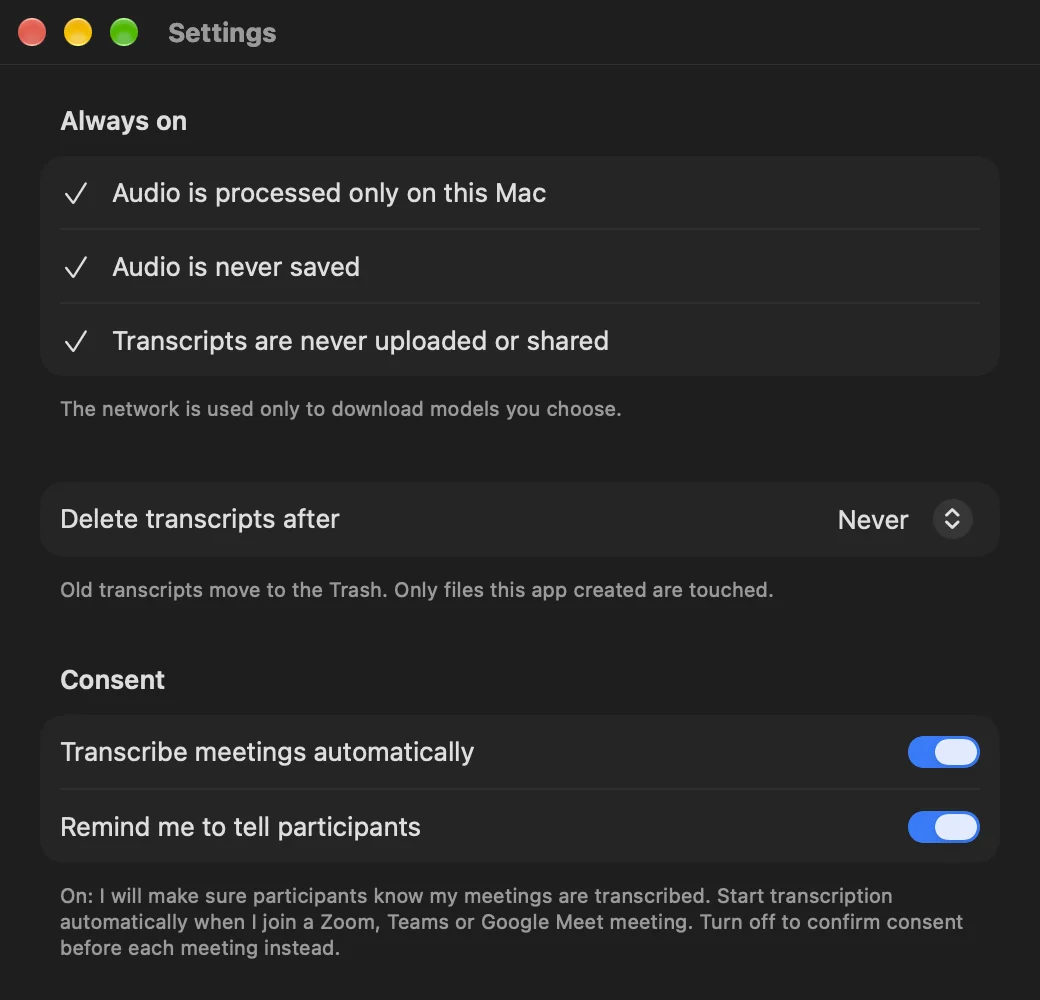
Consent, on record.
Every transcript notes how consent was given, with a reminder to tell participants.
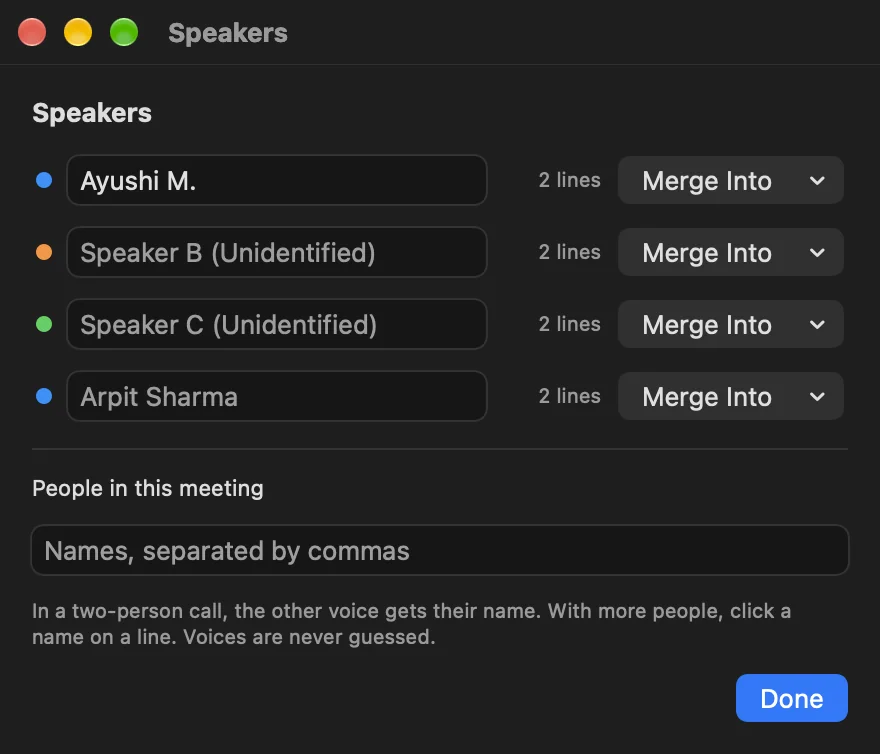
Names stay private.
Until you add them.
Privacy matters for everyone in the call, not just you. Other people's names are not added by default, and no one is ever identified from their voice. Each person gets a neutral label. When it helps you, name a speaker once and every line follows.
Design is final. The prototype is in Figma. Rename speaker › [00:23:12] Ayushi M.:
Design is final. The prototype is in Figma.
The meeting ends.
The work begins.
Meeting Transcript writes down exactly what was said, and stops there. Because every transcript is a clean, structured file, you can hand it to your own AI agent to draft to-dos, Minutes of Meeting and project documents.
Teams_Meeting_10-00.txt
Meeting: Onboarding launch review
Platform: Microsoft Teams
Date: 13 November 2026

[00:23:04] Ayushi M.:
Morning everyone. Let's lock the launch plan for the new onboarding flow today.

[00:23:28] Speaker B (Unidentified):
Mostly the payment step. Three out of five missed the confirm button on the first try.

[00:23:38] Ayushi M.:
Then let's move that button up, re-test on Monday, and ship on the 16th.

[00:24:02] Speaker C (Unidentified):
The support team needs the new help article before launch.
With your agent
To-dos
- Move the confirm button up
- Re-test with customers on Monday
- Publish the help article before the 16th
With your agent
Minutes of Meeting
- Decision: ship on the 16th
- Finding: 3 of 5 testers missed the button
With your agent
Project documents
- Release checklist, test plan and change notes
The app itself never summarises, rewrites or uploads. The cards above are examples of what you might create with an agent of your choice. Check how any tool you share a transcript with handles your data.
Tech Specs
- Meetings
- Zoom and Microsoft Teams apps. Zoom, Teams and Google Meet in Chrome, Safari, Edge, Brave and Arc.
- Languages
- 22 languages, or detect any language automatically. English (including Indian English) and Hindi work together in one call. Also Bengali, Gujarati, Kannada, Malayalam, Marathi, Punjabi, Tamil, Telugu, Urdu, Arabic, Chinese, Dutch, French, German, Italian, Japanese, Korean, Portuguese, Russian and Spanish.
- Speech model
- Whisper Large v3 Turbo on device, via whisper.cpp 1.9.5 with Metal.
- Speakers
- Anonymous labels from on-device voice prints. Rename and merge any time.
- Files
- Plain text in Documents › Meeting Transcript. Export to Word, PDF, Markdown or SRT.
- Requires
- macOS 14.2 or later. Apple silicon recommended.
Focus on the meeting.
Your Mac takes the notes.
Every word, kept for you. Only on your Mac.